Flatten a PDF: make form answers and comments part of the page
Flattening turns form fields and their answers, highlights, drawings and stamps into ordinary page content. The PDF looks the same, but nobody can change the answers or move the markup. PDFZyro flattens a form when you finish filling it in, and comments and markup from Comment mode, always as a new version.
Free plan with no time limit. Pro free for 7 days, no card needed.
How to flatten a PDF
Open the PDF
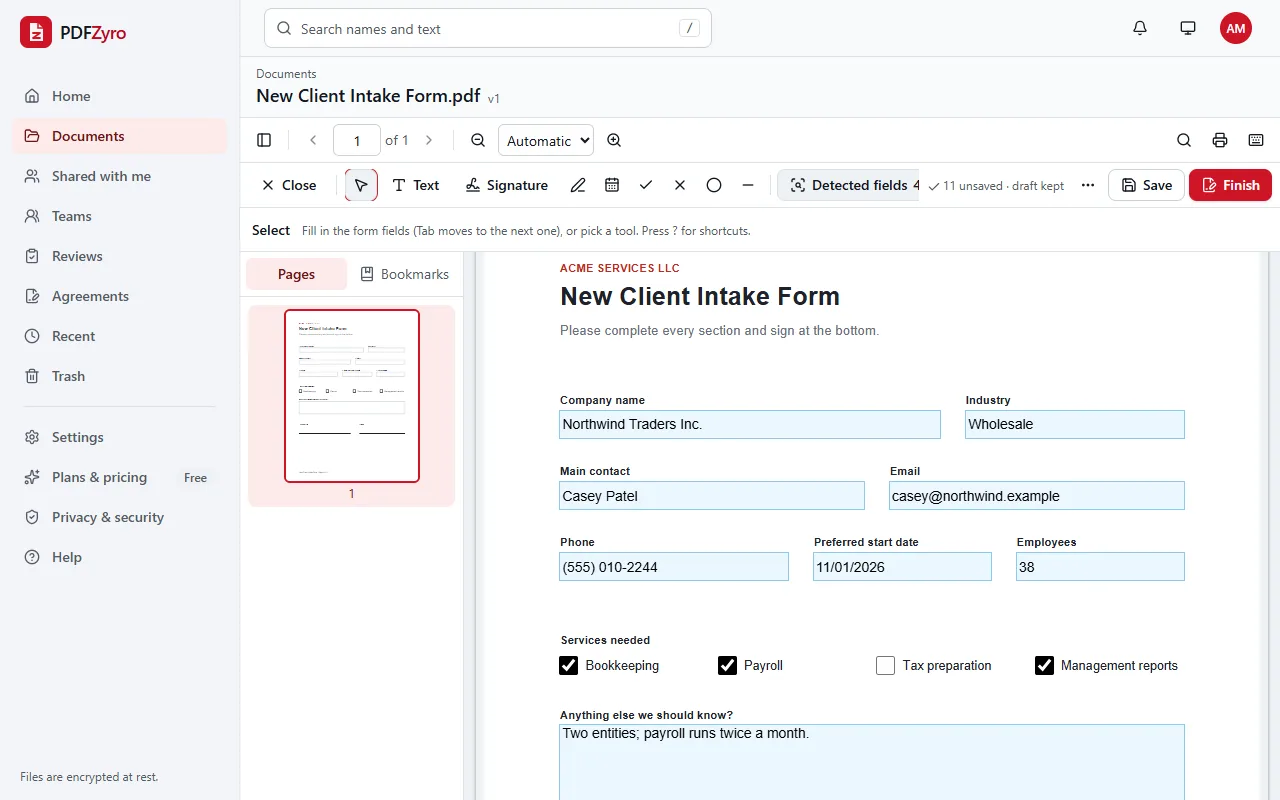
To flatten a form, open it with Fill forms. To flatten comments and markup, open the document and click Comment.
Flatten it
In Fill, fill in the form, click Finish and tick Flatten the form. In Comment mode, save your annotations, open the more actions menu and choose Flatten annotations.
Get the flattened PDF
The flattened PDF is saved as a new version, and the editable version stays in the document's history. From Fill, it's also signed, sealed and downloaded.
Terms explained: Flattening a PDF
What the PDF flattener does
Form fields become page content
Text boxes, checkboxes, dropdowns and the answers in them are drawn onto the page, so they look the same in every reader and can't be edited.
Comments and markup too
Flatten annotations draws highlights, text boxes, shapes, drawings and stamps into the page. Links and form fields are left as they are.
All pages or just some
Flatten the annotations on every page, or type the pages you want, such as 1-3, 5.
Forms that are already filled in
Remove hidden data can flatten a document's form fields into the pages, with their values still visible, while it removes metadata, attachments and scripts.
Never the only copy
Every flatten creates a new version. If an answer needs correcting, restore the editable version from the history.
Private by design
Encrypted and private
Every file is encrypted before it's stored, and only you and the people you share with can open it.
Your original stays safe
Every change is saved as a new version. The original is never changed, and you can restore it at any time.
No watermarks
Files you save never get a watermark, on any plan, including the free one.
Works in your browser
Nothing to install. Use it on Windows, Mac, Linux, Chromebooks, iPhone, iPad and Android.
Questions and answers
How do I flatten a PDF?
For a form, open it with Fill in PDFZyro, fill it in, click Finish and tick Flatten the form. For comments and markup, open the document in Comment mode, open the more actions menu and choose Flatten annotations. Either way the flattened PDF is saved as a new version.
What does flattening a PDF do?
It merges interactive parts of the PDF, such as form fields and their answers, comments, highlights and stamps, into the page content. The file looks the same, but the fields can't be filled in again and the markup can't be moved, edited or replied to.
What happens to replies and hidden comments?
Replies and review statuses aren't drawn on the page: they're removed from the pages you flatten, and so are hidden annotations, so the result shows what you saw before flattening.
Does flattening make a PDF secure?
No. Flattened text can still be selected and copied, and changed with an editor. To remove information, redact it; to control who can open the file, protect it with a password.
Should I flatten before or after signing?
Before. Any change after a PDF is digitally signed means the signature no longer covers the new version. In Fill, the form is flattened first and then signed and sealed, in one step.
Is Flatten PDF free?
Yes. Flatten PDF isn't counted towards the Free plan's daily tasks, so you can use it as much as you like with files up to 50 MB. Pro adds unlimited edit, convert, compress and OCR tasks and more storage, and is free to try for 7 days.
Related tools
- Fill PDFFill in PDF forms, even flat ones without fields.
- Edit PDFChange text and pictures, add text, links and whiteout.
- Remove PDF metadataStrip metadata, attachments, scripts and hidden data.
- Sign PDFAdd your signature, initials and the date to any PDF.
Switching from another app? Adobe Acrobat alternative · Foxit PDF Editor alternative
Fix answers and markup in place
Create a free account in under a minute. No card needed, and no watermarks on anything you save.
Flatten a PDF free