Convert TIFF to PDF, including multi-page scans
Scanners, fax services and document archives often save pages as TIFF, a format not every app opens well. PDFZyro turns TIFF files into PDFs that open everywhere, and a multi-page TIFF keeps every one of its pages.
Free plan with no time limit. Pro free for 7 days, no card needed.
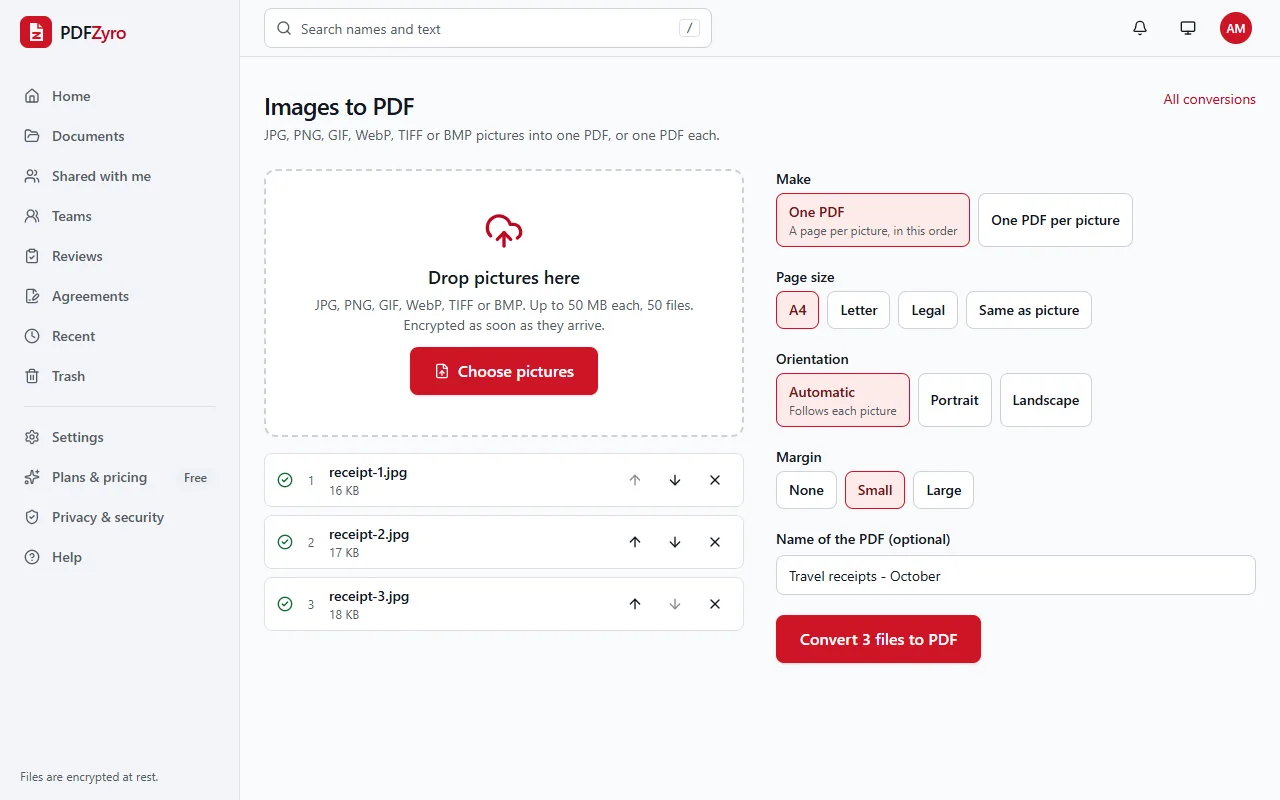
How to convert TIFF to PDF
Add the TIFF files
Open Images to PDF and choose your .tif or .tiff files, up to 50 at once.
Choose the paper
Put the files in order and choose A4, Letter or Legal so each scanned page fits the paper. Automatic orientation turns the page for landscape scans.
Convert to PDF
Click Convert to PDF. Every page of every TIFF becomes a page of the PDF, saved in your library.
Built for scans and faxes
Every page of a multi-page TIFF
A 20-page TIFF from a scanner becomes a 20-page PDF, with the pages in their original order.
Fax and archive compression
Black-and-white fax compression (CCITT Group 3 and 4), LZW, PackBits and JPEG-compressed TIFF files can all be read.
Fits the paper
Large scans are shrunk to fit A4, Letter or Legal with the margin you choose, and small ones are centred at their own size.
Several TIFFs, one PDF
Combine many TIFF files into one PDF in the order you set, or make one PDF for each file.
Searchable with OCR
A scan is a picture of text. Run OCR on the PDF afterwards to make its words searchable and copyable.
Private by design
Encrypted and private
Every file is encrypted before it's stored, and only you and the people you share with can open it.
Your original stays safe
Every change is saved as a new version. The original is never changed, and you can restore it at any time.
No watermarks
Files you save never get a watermark, on any plan, including the free one.
Works in your browser
Nothing to install. Use it on Windows, Mac, Linux, Chromebooks, iPhone, iPad and Android.
Questions and answers
How do I convert TIFF to PDF?
Open Images to PDF in PDFZyro, add the TIFF file, choose the paper size and click Convert to PDF. The PDF is saved to your library, ready to download.
What happens to a multi-page TIFF?
Every page becomes its own page in the PDF, in order. Small preview thumbnails stored in the file next to the pages are skipped. A very long or very high-resolution TIFF can go over the size limit for one file; split it into smaller files if that happens.
Can I make a scanned TIFF searchable?
Yes. After converting, open the PDF with Make searchable (OCR). The words are recognized and added behind the scanned picture, so you can search, select and copy them.
Why convert TIFF to PDF?
PDFs open in every browser and on every phone, keep many pages in one file, and can be signed, filled in, merged and protected with a password. Not every app shows all the pages of a multi-page TIFF.
Can I convert a PDF back to TIFF?
Yes. PDF to JPG (the PDF to images conversion) saves pages as one multi-page TIFF or one TIFF per page, at the resolution you choose.
Is TIFF to PDF free?
Yes. The Free plan includes 3 edit, convert, compress or OCR tasks a day, with files up to 50 MB, and never adds a watermark. Pro removes the daily limit and is free to try for 7 days, with no card needed.
Related tools
- JPG to PDFTurn pictures into one PDF, or one PDF each.
- PNG to PDFTurn screenshots and PNG pictures into a sharp PDF.
- OCR PDFMake scanned PDFs searchable and editable.
- Merge PDFCombine several PDFs into one, in the order you choose.
- Compress PDFMake PDFs smaller to email and share.
Switching from another app? Adobe Acrobat alternative · Foxit PDF Editor alternative · Smallpdf alternative · iLovePDF alternative
From scanner files to PDFs anyone can open
Create a free account in under a minute. No card needed, and no watermarks on anything you save.
Convert TIFF to PDF free