Skip to content

Offer letters, onboarding forms and personnel files, without the paper

HR teams handle some of the most personal documents in a company: offer letters, onboarding forms, policies to acknowledge and records with home addresses and identification numbers. PDFZyro helps you send them for signature, turn paper forms into fillable ones, and remove personal details before a file is shared.

Documents are encrypted before they're stored, team folders have roles, and every signature request comes with an audit trail.

Free plan with no time limit. Pro free for 7 days, no card needed.

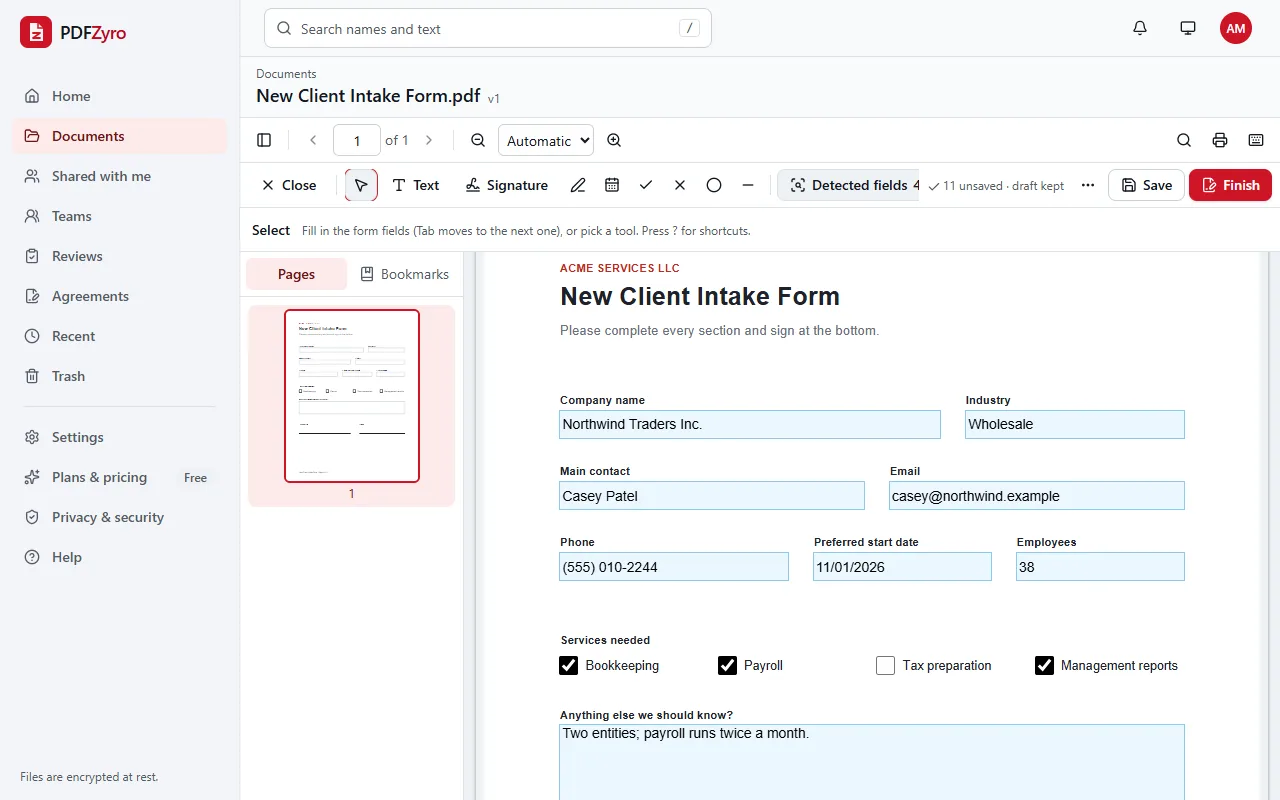
Fill & Sign mode in PDFZyro with a client intake form being filled in: company name, contact, email, phone and start date typed into the form fields and three service checkboxes ticked.
Fill & Sign: type into form fields and tick boxes.

What HR teams use PDFZyro for

What PDFZyro doesn't do

  • PDFZyro isn't an HR system: no payroll, applicant tracking or HR software integrations.
  • Signer checks don't verify ID documents. Access codes and text-message codes show that the signer had the code, not who they are on paper.

Questions and answers

Can candidates sign an offer letter on their phone?

Yes. They open the email link and sign in the phone's browser, without an account or an app. You can follow the request's progress and send a reminder if needed.

How is employee information protected?

Files are encrypted before they're stored, and only you and the people you share them with can open them. Team folders have roles, share links can have a password and an end date, and every e-signature step is recorded. Whether that meets your obligations is for you and your advisers to decide.

Can new hires fill in forms without printing them?

Yes. Send the form as a signature request with text, checkbox, date and signature fields, and the new hire fills it in and signs from the email link, without an account.

Can I send the same policy to every employee?

Yes, with bulk send on the Business plan: each person gets their own copy to sign, and you can follow who has signed. Templates keep the fields in place for next time.

Does redaction really remove personal data?

Yes. Applying redactions deletes the text and image content under each mark in a new copy of the document, and you can also remove hidden data such as metadata and comments. Search the copy afterwards to check.

PDFZyro for other work

Try it on your own documents

Create a free account in under a minute. No card needed, and no watermarks on anything you save. Compare plans.

Send an offer letter free